
Your live Helix demo
You’ve landed in a private Helix instance — a complete, isolated copy of the platform, preloaded with the Roadside Assistance demonstration company. No registration, no details: the sandbox starts the moment you launch it, and its sign-in takes any username you care to type. Nothing you do here affects anyone else, so click anything.
What you’re looking at
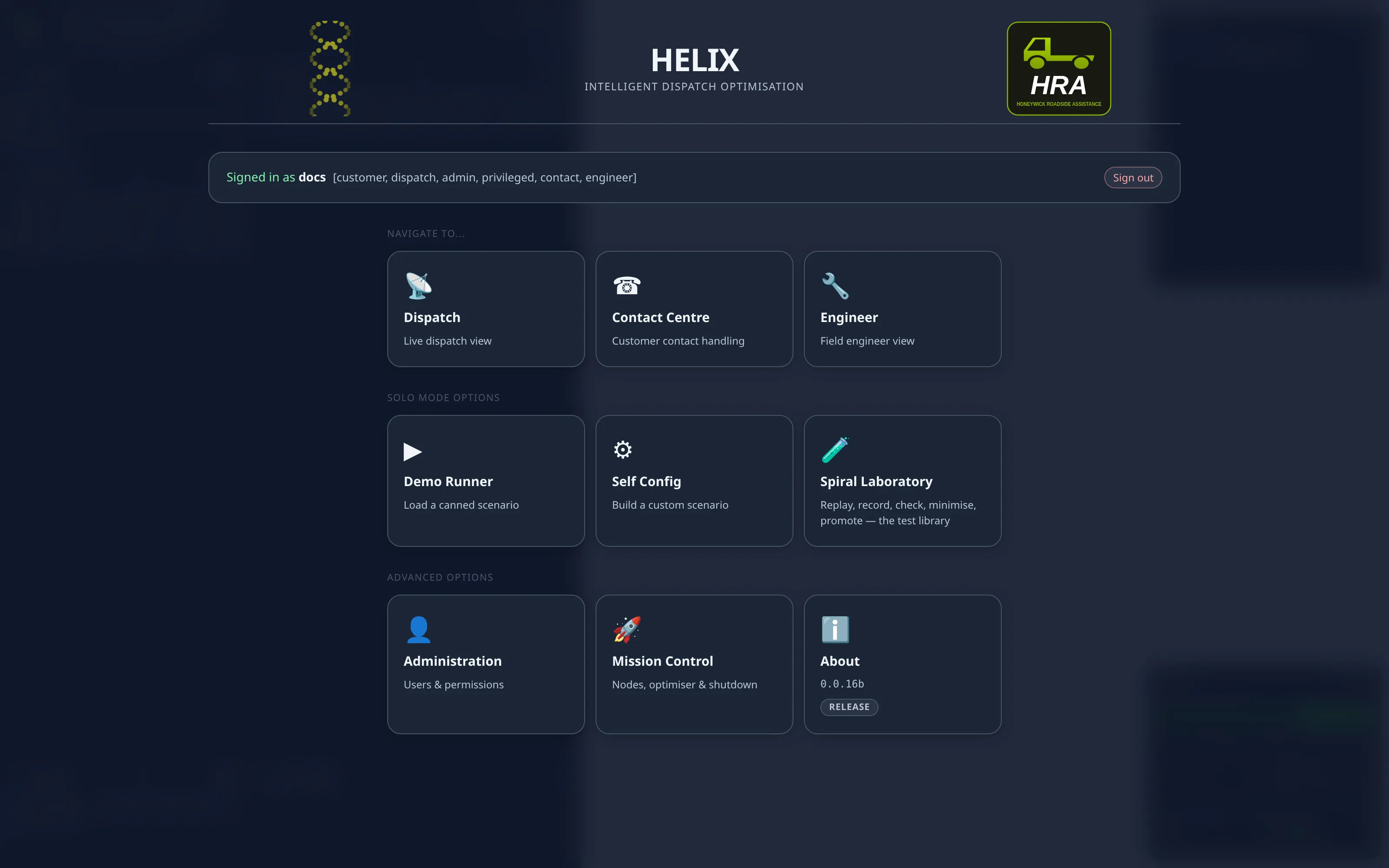
Section titled “What you’re looking at”The landing screen is the operator’s entry point: the dispatch, contact-centre and engineer views, plus the solo-mode Demo Runner — and that’s where the fun starts.
Run the West Midlands demo
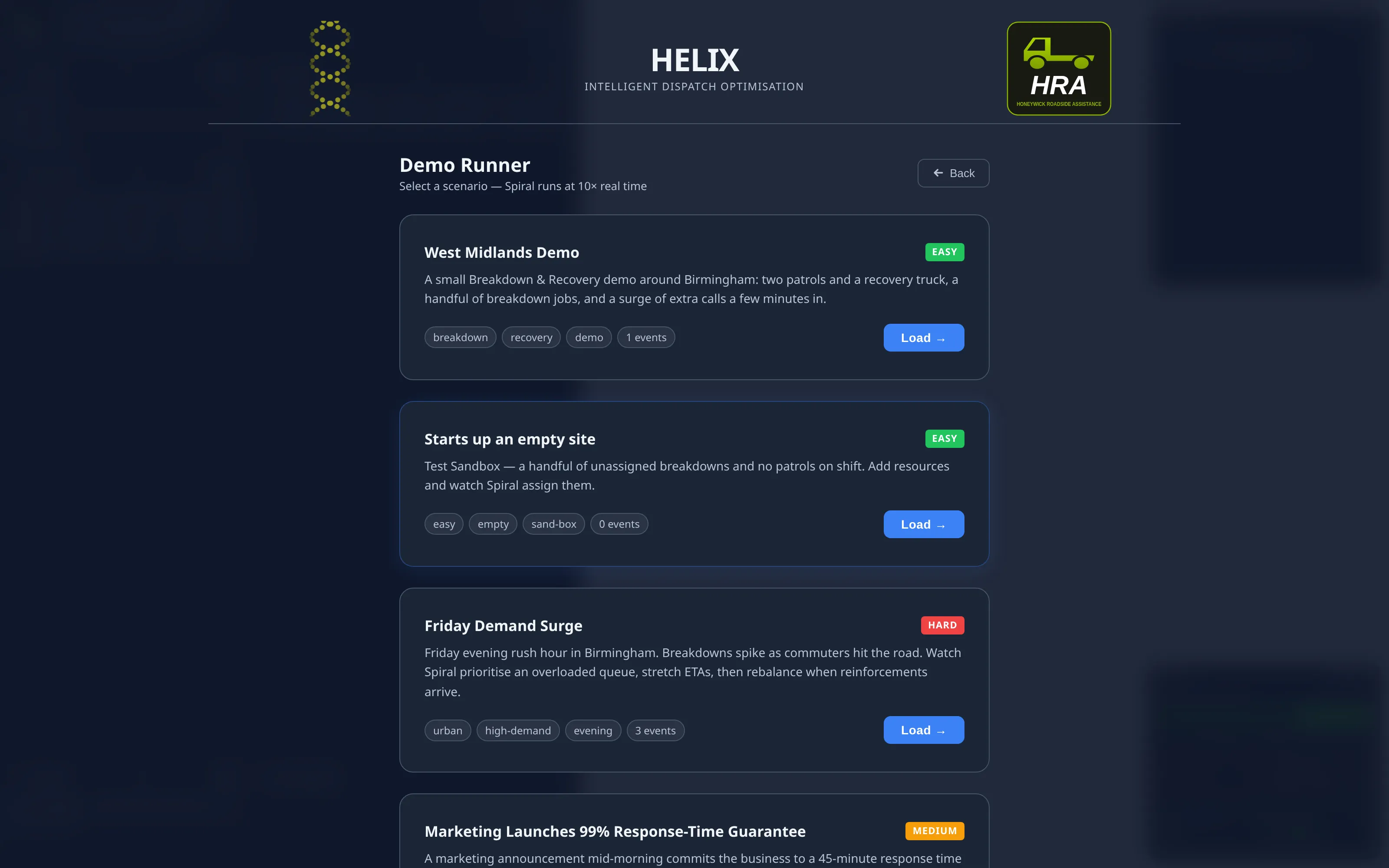
Section titled “Run the West Midlands demo”- Open the Demo Runner from the landing screen.
- Pick the West Midlands Demo card.
That’s it. The scenario builds a live world — two patrols and a recovery truck working around Birmingham — and runs at 10× speed, so a simulated minute passes every six seconds. The clock holds at 1× for the first few moments while Spiral climbs to full optimisation, then picks up to 10×. Shortly after that a scripted breakdown surge lands and you can watch the optimiser replan around it in real time.
What to watch
Section titled “What to watch”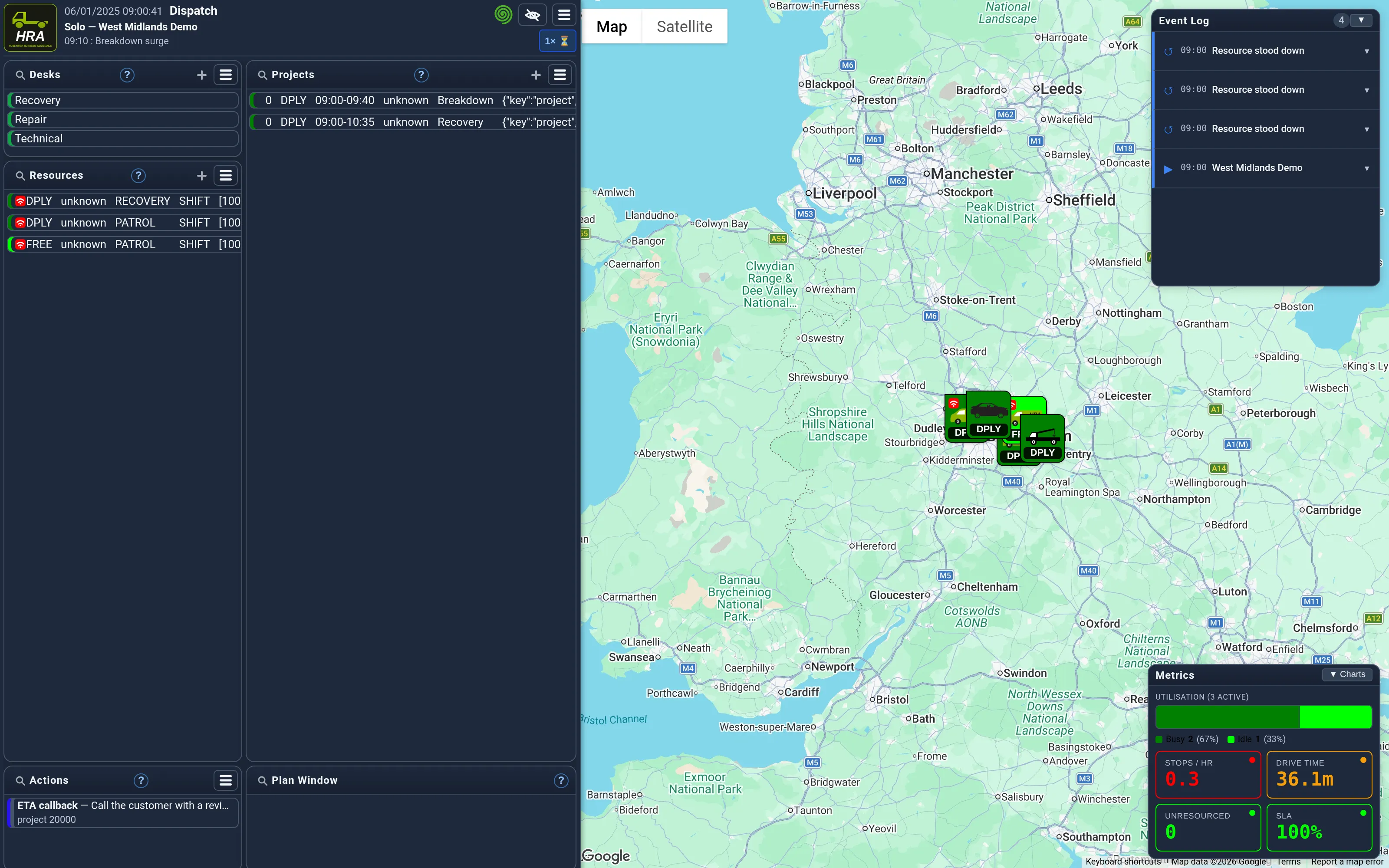
- The map — patrols and recovery trucks moving between jobs; icons and colours change as work progresses from planned to arrived to done.
- The scenario HUD — the simulated clock, the current speed (you can change it mid-run), and a countdown to the next scripted event.
- The Event Log — scripted commentary explains each event as it fires, and what to watch for in Spiral’s response.
- The work lists — every desk starts watched in demonstrations, so the whole operation streams to the screen; click a job to see its stops and schedule.
For the full operator’s guide to desks, resources and the plan window, see the Helix introduction; for everything scenarios can do — speed control, injections, run-file replay — see Scenarios.
Session notes
Section titled “Session notes”- Your sandbox is yours alone — a private instance started just for you.
- It closes automatically a couple of minutes after you leave, and after an hour at most.
- Sessions are limited while demand is high; if all seats are busy, try again in a few minutes.
- Want a longer look, or a sandbox shaped to your industry? More information — or email enquiries@honeywick.co.uk to arrange a discussion.